3 minutes
Smart Home Multiplayer Bomb Disposal Game
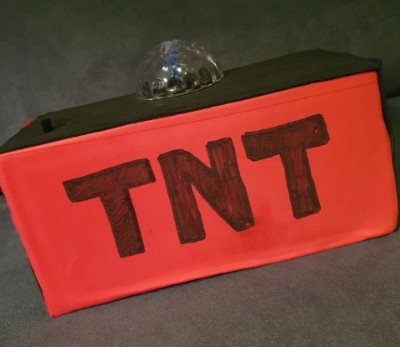
About 18 months ago I shared some insight into some home automation I’d added that turned the whole house into a game zone. This has been pretty useful during the recent covid lockdown and provided much entertainment for the family. This post is to explain how it works.
Game objective
Find and defuse the bomb without getting spotted. A baddie has hidden a bomb somewhere around the house, the bomb disposal team have to locate it and defuse it using the key - without activating any of the house alarm sensors.
Each room has a motion sensor - so you need to be a ninja to get in and out of a room without setting any off. Check each room until you find the bomb, use the special disarm key to disable the bomb and end the game. If you trigger a sensor, an alarm will sound and lights will flash - you’ve failed your objective.
How it works
Motion sensors
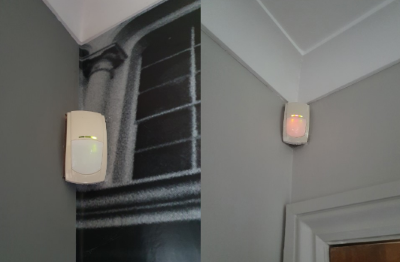
The game is designed on the SmartThings platform, using motion sensors that are registered as devices for each room. Our house had an existing hard-wired alarm installation, which I added a Konnected Alarm Interface Panel to, exposing each PIR onto the SmartThings platform as a motion sensor device.
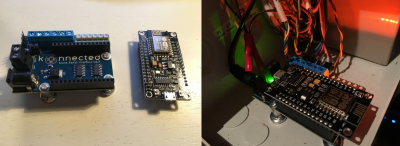
Existing hard-wired PIRs become a SmartThings motion sensor. Allowing you to create automations based off any detected movement.
SmartThings Groovy app
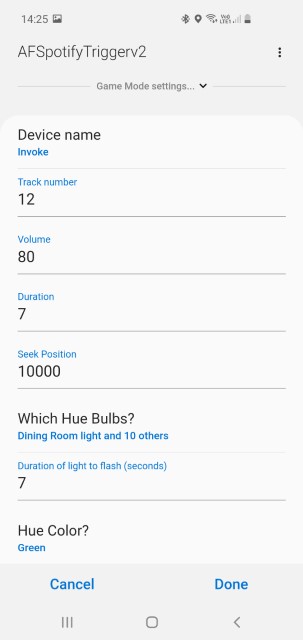
I then wrote a custom SmartThings app which detects any motion sensor movement. On movement detection, the app sets the configured color and flash duration of multiple Philips Hue light bulbs around the house. In addition, it also invokes an Azure Function to playback music, full source available here. I’ve made the app customisable so you can easily change the in-game settings.
Playing music
An important part of the game ambience and to provide feedback is playing a sound/music whenever a motion sensor has been triggered. I’m using an Azure Function to call the Spotify API to play a given track from a provided playlist. The function allows you to seek to a position in a track, and to set how long to play for. Allowing you to playback a sample from any given song. Currently I’m using Run by AWOLNATION, recently popular on TikTok. Another nice feature is the ability to select which Spotify audio device to play back on, allowing me to use the otherwise defunct Harmon Kardon Invoke 😀.
Arming/Disarming the bomb
The SmartThings platform allows you to create different “modes” for your house automation such as Home/Away/Night etc. Most normal people add additional modes for Movies etc, whilst I geeked out on this and created a Game mode. Which allows my groovy app to only trigger if the relevant mode is active. I’ve also created a SmartThings scene called Game mode, so to start the game, I can simply ask Alexa - “Turn on Game mode”. Which will immediately activate all of the motion sensors around the house ready for action.
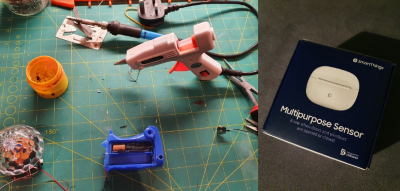
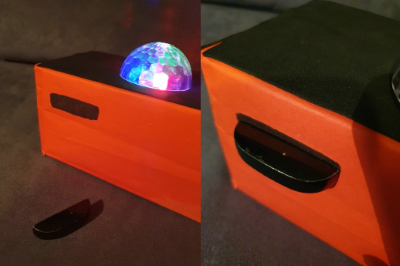
To disarm the bomb, we had fun creating some TNT out of an old cardboard box, a repurposed light gun and a SmartThings multi-purpose sensor.
The multi-purpose sensor allows the magnetic piece to be removed, and thus becomes the “denotation disarm key”. The rest of the sensor is embedded in the bomb.
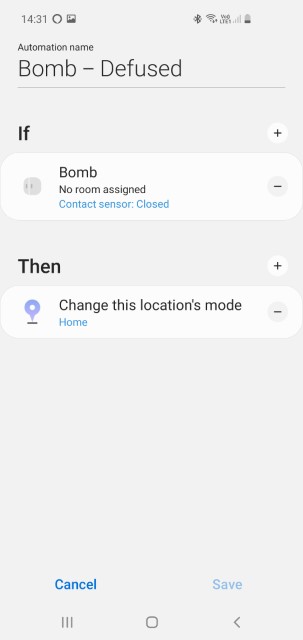
When the magnet is added, it disarms the bomb by changing the game mode back to the default (home) - using this simple SmartThings Automation:
smarthomesmart homehome automationsmartthingsmultiplayer gamecovidcovid19coronalockdownspotifysensor
572 Words
2020-12-23 20:04 +0000